
Guide
Printer or AirPlay stopped working with a VPN? Local network access explained
A VPN can cut you off from devices at home: printers, AirPlay speakers, a NAS or your router page. Here is why, and how local network access in FollowNet fixes it.
What to know
A VPN sends device traffic into the tunnel, including requests meant for your own network. Your printer is a few metres away, but the request goes to a server in another country and never arrives. That is why casting, printing and router pages fail while the internet works fine.
How to use it
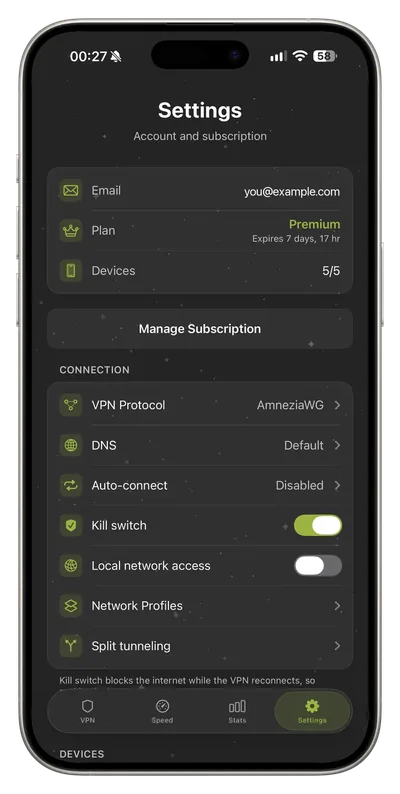
In FollowNet open Settings and turn on Local network access. Traffic to devices on your network stays local, and everything else keeps going through the VPN. Printers, AirPlay, NAS drives and the router page work again, and it works together with the kill switch.
Limits and honest expectations
On a shared network, such as a hotel or café, other people’s devices are on the same local network too. Keep this option on at home and off on public Wi‑Fi.
Key points
- Free includes a weekly traffic allowance
- Current plan details always appear in the app
Try it today
Free, no card, ready in a couple of minutes.